How to Verify Police Clearance Online In 2026
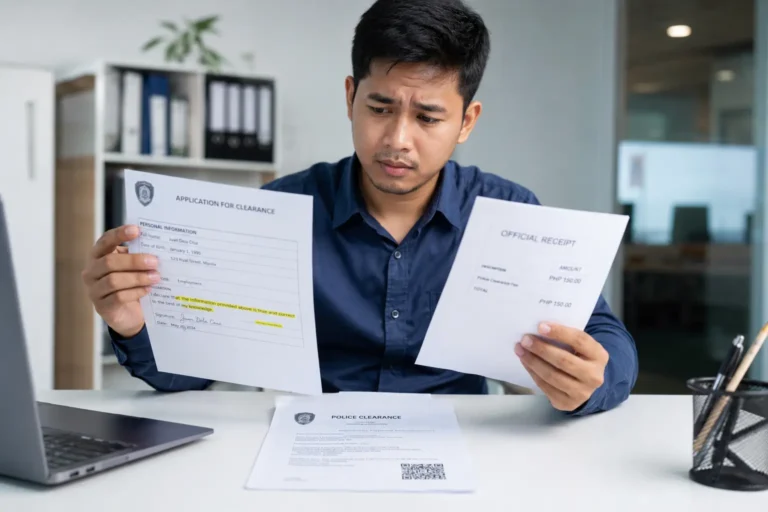
Fake documents are becoming more common, and to verify police clearance authenticity is important. You just received a police clearance from someone—a job applicant, a tenant, or a helper. But how do you know it is real? One wrong decision can cost you time, money, and legal trouble.
The good news? You no longer need to visit a police station to check. The Philippine National Police (PNP) now allows anyone to verify police clearance Philippines online. This article gives you a simple, step-by-step guide to confirm authenticity using the official portal. You will learn exactly how to spot fakes before it is too late.
Scenarios where verified clearance is critical:
- Job applications (especially for driving, security, or cash-handling roles)
- Overseas work requirements (for employers or agencies)
- Business permits and local government transactions
Why You Cannot Rely on Physical Appearance Alone to Spot Fake Clearance
Let us be honest. Old tricks like checking watermarks or feeling for dry seals no longer work. Forgery has gone digital. Scammers now produce copies that look almost identical to real ones.
You might hold a physical document that looks perfect. The paper feels right. The logo seems correct. But looks can deceive. That is why the PNP moved away from physical security features.
Common forgery methods criminals use:
- Scanning and reprinting genuine clearances
- Editing names and photos using photo editing software
- Copying official seals from the internet
- Using high-quality printers that mimic security paper
Physical vs. Digital security comparison:
| Feature | Physical Only (Old) | Digital + Physical |
|---|---|---|
| Watermark | Easy to copy | Still present but not trusted alone |
| Dry seal | Can be manufactured | Secondary check only |
| QR code | Not available | Primary verification method |
| Online database | No | Yes – real-time check |
QR Code-Based Police Clearance Verification
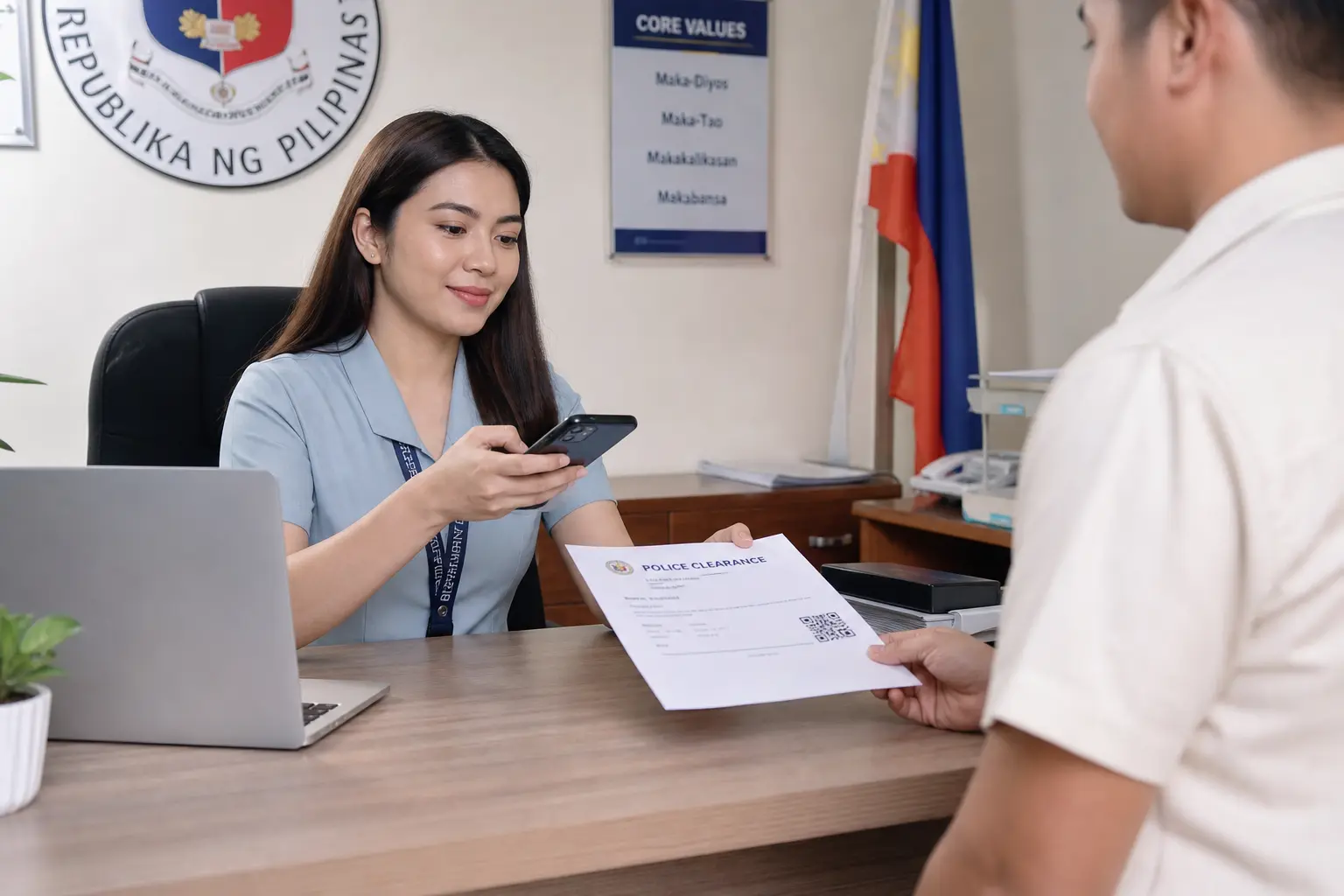
The PNP realized that paper alone is not safe. So they added a dynamic QR code to every official clearance. This code is unique to each document. When scanned, it connects directly to the PNP database.
This shift made a huge difference. A fake document might look real, but its QR code will either show nothing, show an error, or display mismatched information. The system does not lie.
Step-by-Step Guide to Verify Police Clearance Philippines Using the Official Portal
You do not need special training. You only need internet access and the physical clearance document. Follow these exact steps to perform a clearance verification PNP check.
Step 1: Get the physical clearance document.
Make sure you can clearly see the QR code and the reference number. If either is smudged or damaged, ask for a different copy.
Step 2: Open your browser and type the correct website.
Go to https://pnpclearance.ph/. Do NOT use any other website. Fake verification sites exist to steal information or give false positive results.
Step 3: Look for the verification section.
On the homepage, find the button or link labeled “Verify Clearance” or “Check Authenticity.” Do not click on “Apply” or “Renew.”
Step 4: Enter the required information.
You will typically need the QR code or the reference number. Type it exactly as shown. Double-check for typos.
Step 5: Click the verify button and wait for the result.
The system will search its database. Within seconds, you will see one of three possible results.
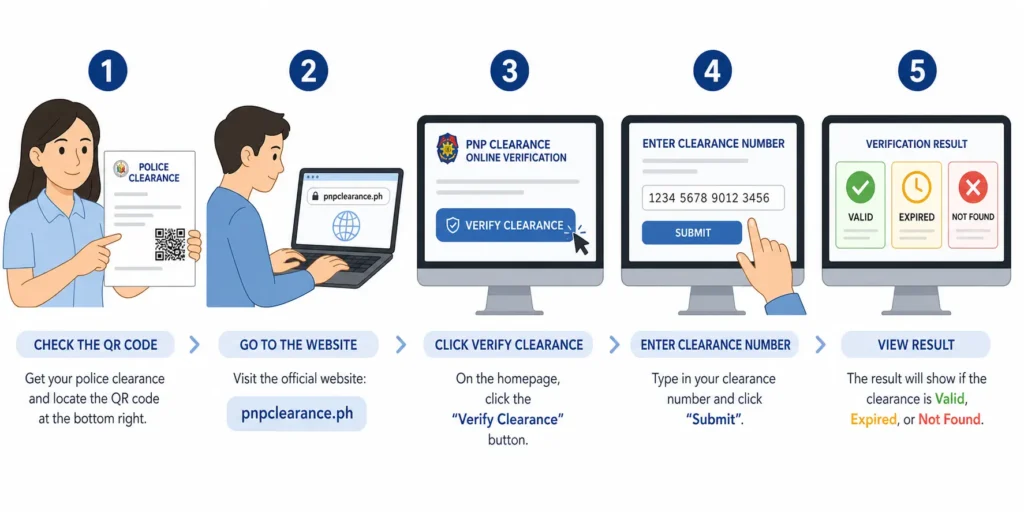
Locating the Correct Verification URL
Only one website is official: https://pnpclearance.ph/ for police clearance verification.
Red flags in fake verification sites:
- The website asks you to pay a verification fee (real verification is free)
- It asks for personal information like your bank account or birthday
Always visit the official website for clearance verification.
Inputting the QR Code or Reference Number
The QR code is usually printed on the top right or bottom left corner of the clearance. It looks like a small black-and-white square pattern.
If you are using a mobile phone, you can scan the QR code directly using your camera app. If you are on a computer, look for the 12 to 15-digit reference number printed near the QR code. Type that number into the verification box exactly as written.
One wrong digit will return a “Not Found” result. So take your time.
Understanding the Online Verification Result
Once you click verify, the system will show one of three results. Each result means something different. You need to know what to do next.
| Status | What It Means | Action Required |
|---|---|---|
| Valid | The clearance is real, active, and matches PNP records | Safe to accept |
| Expired | The clearance was real but is no longer valid | Request a new clearance |
| Not Found | Either fake, too old, or wrong reference number | Do NOT accept; investigate further |
“Valid” Status – What Data is Displayed
A valid result will show the complete PNP record. This is your proof of authenticity check success. Compare the online information with the physical document.
Information you will see on a valid result:
- Full legal name (first, middle, last)
- Date of birth
- Place of birth
- Purpose of clearance (employment, travel, etc.)
- Date issued
- Expiry date
If any of these details do not match the physical copy, the document has been tampered with. Reject it immediately.
“Not Found” or “Tampered” Errors
A “Not Found” result is serious. It means the reference number does not exist in the PNP database. There are only two possibilities:
- The document is completely fake.
- The clearance is too old (the PNP only keeps active records for a limited time).
Either way, you should not trust the document. Presenting a fake clearance is a criminal offense in the Philippines. If someone gives you a fake document, you are not obligated to accept it. You may also report them to the nearest police station.
Warning: Do not accept excuses like “the system is down” or “my cousin works at the station and printed this special copy.” The official database does not make exceptions.
Conclusion
Verifying a police clearance online takes less than two minutes, but skipping that step can cost you weeks of legal headaches. The PNP has given everyone a free, fast, and reliable tool to check authenticity. Use it every single time. A quick verification today can save you from hiring the wrong person or accepting a fake document tomorrow.